Integrating
AI into
Design Workflow
Navigated organizational ambiguity to build the business case for AI adoption, securing executive buy-in and establishing AI-assisted workflows that achieved 70% faster prototyping with $120K in projected savings.

$120K
Business Case I Built
70%
Faster Prototyping
3x
Faster Decision-Making
The Context
AI was the priority. Where it belonged in our workflow was the open question.
The organization was investing in AI across the board. For our design team, no one had mapped where AI could genuinely help, what problems it should solve, or how it would fit a compliance-heavy healthcare environment. I started by auditing where time was actually being lost before proposing any solution.
What I Owned
Audited the design workflow end-to-end, mapping where time was actually lost across design, product, and engineering.
Tested AI tools hands-on for 4 weeks (Vercel V0.dev for rapid prototyping, Microsoft Copilot for prompting early ideas and research synthesis), building credibility through direct experience before proposing anything to the team.
Facilitated cross-team brainstorms with designers, POs, and engineers to surface shared pain points and identify where AI could reduce friction for everyone.
Built the financial model with executive sponsors. $85/hr x 55 hrs x 25 projects = $120K projected savings.
Navigated team skepticism by reframing AI as responsible automation: handling tedious work like research synthesis and documentation, not replacing creative judgment.
Constraints: compliance-heavy healthcare environment, no existing AI roadmap, team skepticism rooted in craft pride.
The Challenge
Three groups needed alignment, each with legitimate concerns.
My decision: address each group separately. One message does not fit all three audiences.
Unclear Direction
Leadership wanted AI results but hadn't specified where it should land.
Designer Skepticism
If AI can prototype in hours, what happens to my role?
Engineering Concerns
Years of trust built around Figma deliverables. AI output felt unreliable.
Navigating Skepticism
The team had real concerns: would AI-generated output meet our design quality bar, and how steep was the learning curve? Rather than pushing adoption, I focused on showing value incrementally and letting people opt in.
Reframe AI as responsible automation: positioned AI for tedious work (synthesizing research, drafting docs) not creative judgment → shifted team perception from threat to tool.
Protect existing handoff quality: kept Figma as the source of truth for engineering, used AI only for early exploration and synthesis → eliminated handoff quality concerns.
Build the business case with math: quantified time savings per project and multiplied across the portfolio → $120K projected annual savings, securing executive sponsorship.
Process Comparison
A side-by-side look at how AI tools compressed our design timeline, and where human judgment stayed central.
| Process | Before | After | Human Effort | Saved |
|---|---|---|---|---|
Research & Synthesis | 40 hrs manual organization | 16 hrs with Copilot | Interview design, pattern validation | 24 hrs |
Ideation & Flows | 24 hrs sketching options | 8 hrs with AI brainstorm | Creative direction, flow decisions | 16 hrs |
Prototyping | 60 hrs from scratch | 45 hrs with V0.dev | Design refinement, interaction specs | 15 hrs |
User Testing | 24 hrs standard process | 24 hrs (human-led) | Fully human, no AI applied | – |
Handoff | 32 hrs documentation | 32 hrs (quality kept) | Figma source of truth, full QA | – |
| Total saved per project | 55 hrs | |||
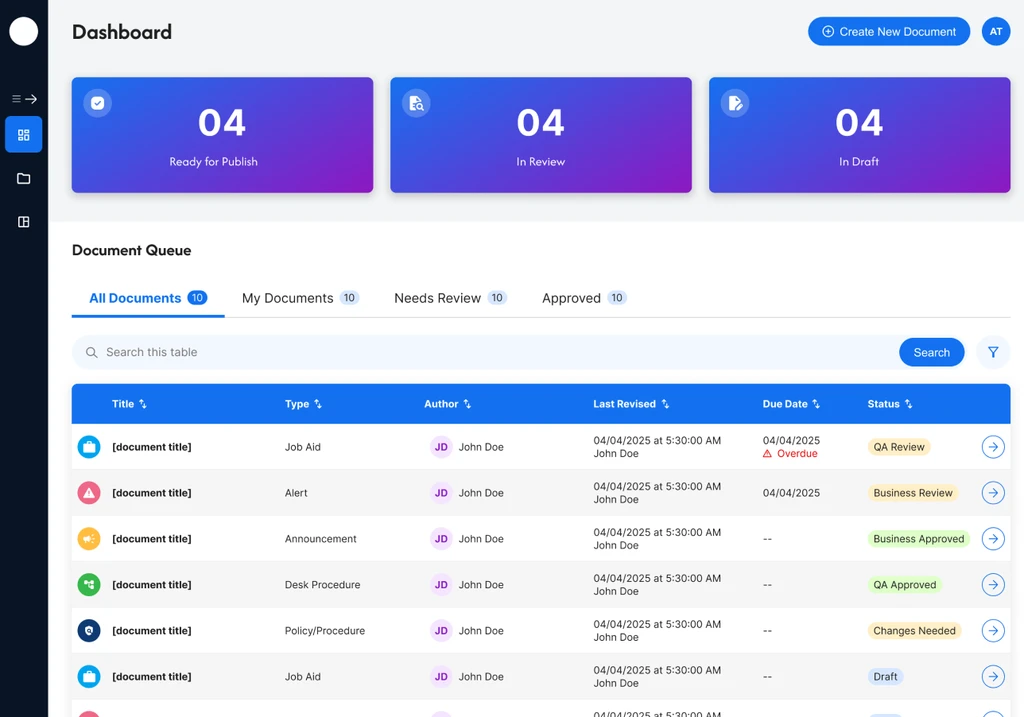
Knowledge Management Dashboard
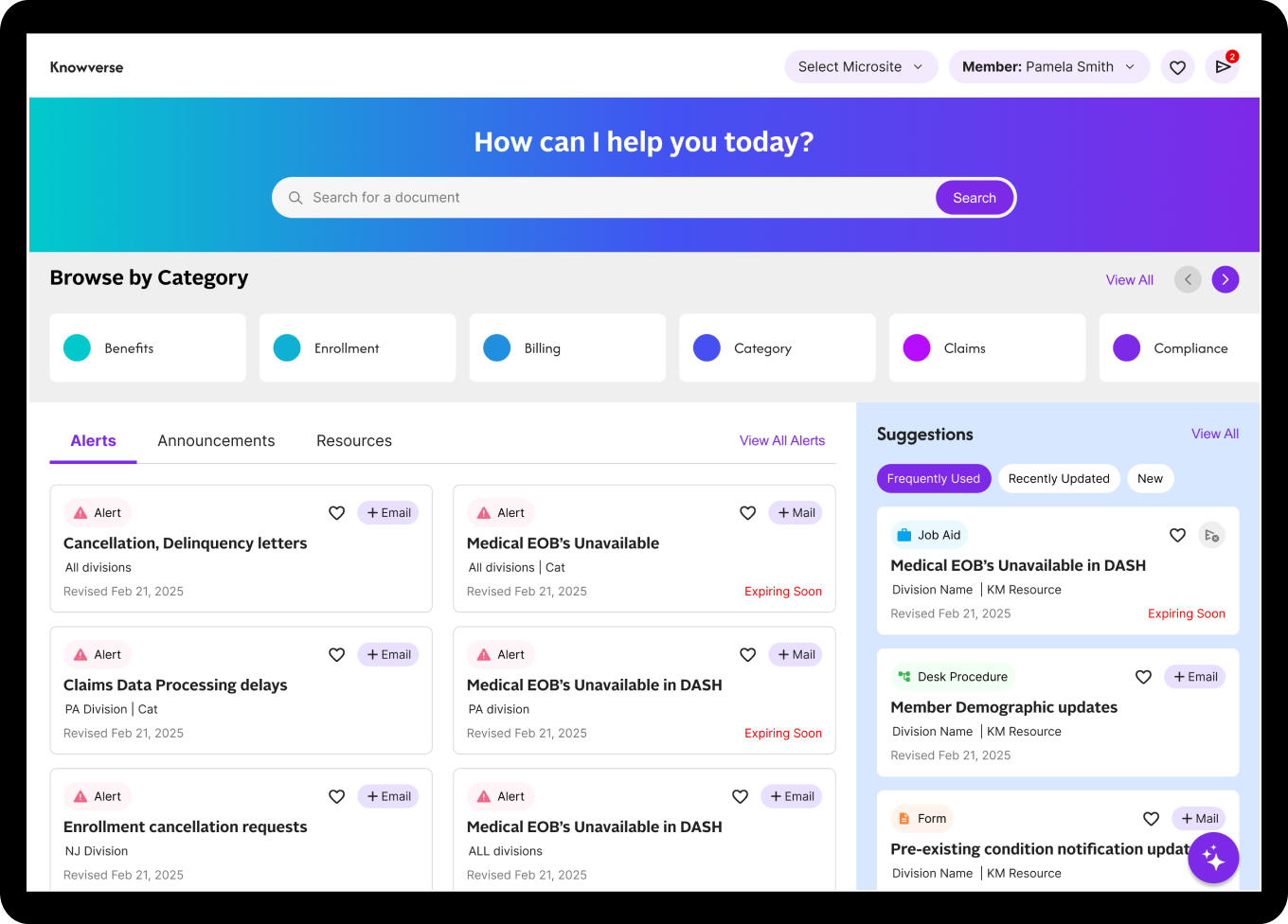
We applied the AI-augmented workflow to redesign the internal knowledge management system for member services representatives.
- AI-assisted synthesis of 18 user interviews to surface patterns
- V0.dev generated initial dashboard prototypes in 2 days
- Validated with users before investing in high-fidelity design
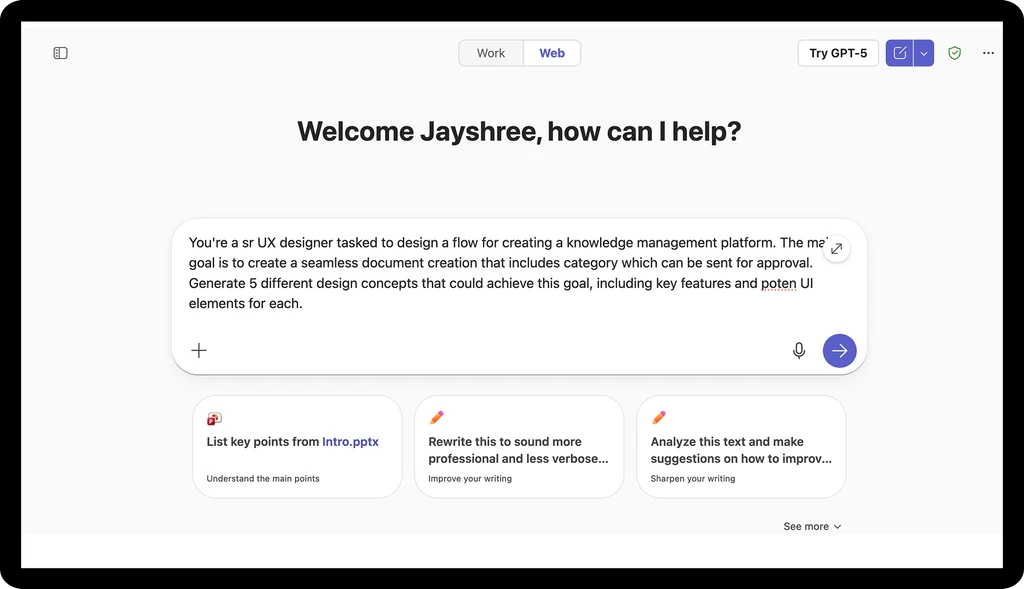
Copilot Prompts
Microsoft Copilot for early ideation and research synthesis
V0.dev Prototype
Vercel V0.dev for rapid concept validation before investing in Figma
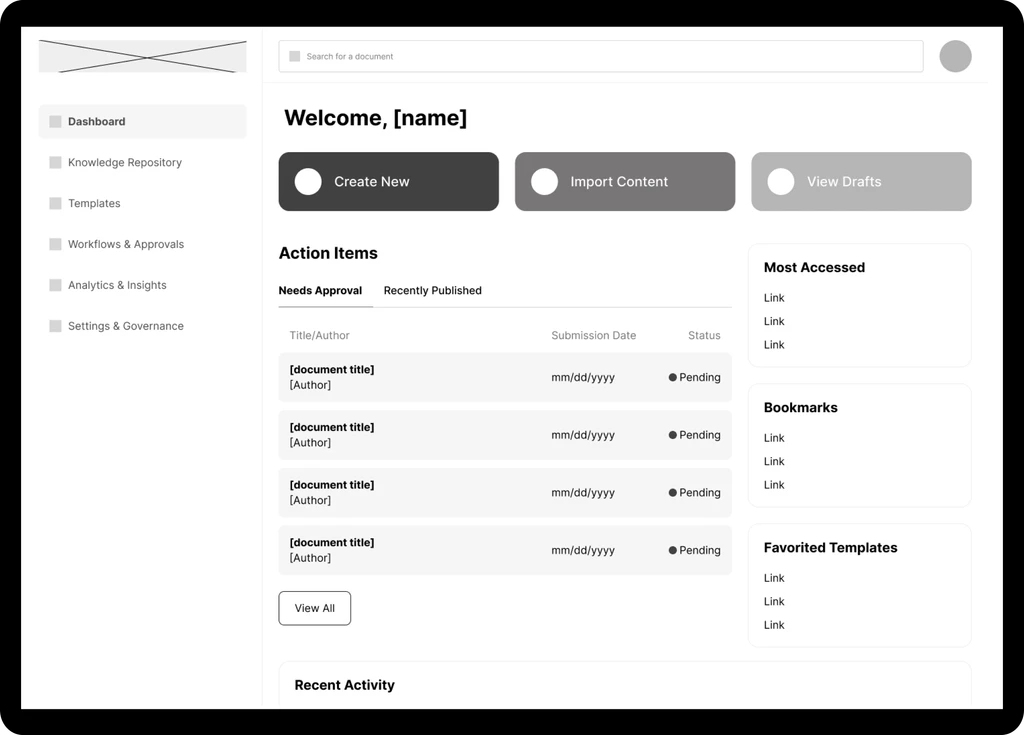
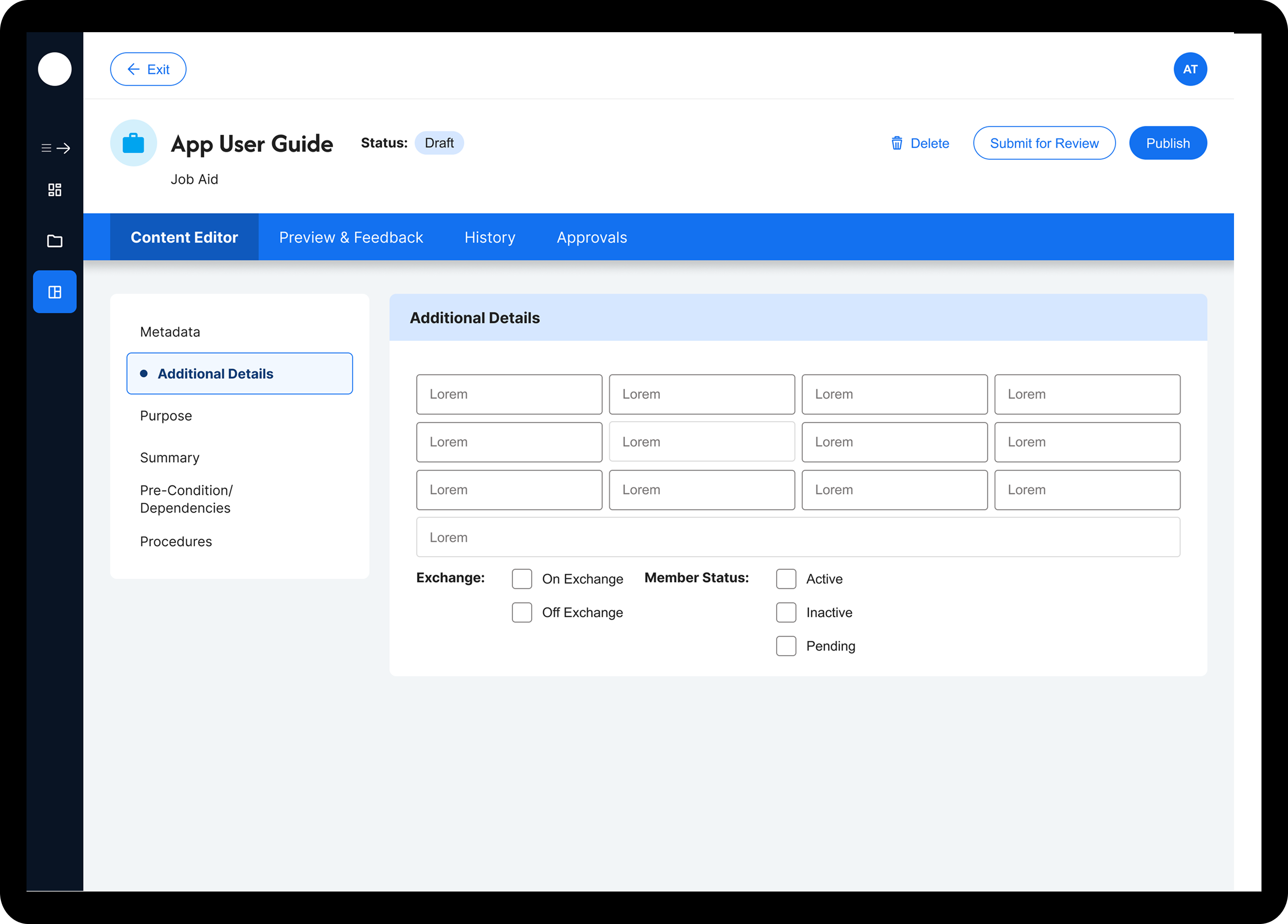
Document Creation Flow
Streamlined workflow designed using AI-augmented process
Final Design
High-fidelity Figma deliverable, engineering-ready
The Outcome
70% faster prototyping. Stakeholder reviews compressed. $120K in projected annual savings. The KM Dashboard shipped on time and validated the workflow end-to-end.
Design Team
Freed from tedious synthesis and documentation, more time for creative problem-solving.
Product Owners
Faster stakeholder demos and compressed review cycles across projects.
Engineering
Trusted handoff quality maintained. No disruption to existing Figma workflow.
The best measure of success was not the $120K. It was when the team started experimenting on their own.
Next Project
Scaling a UX Practice
Design Leader